Home / Card Games / Keno
Keno: Keno Demo & Play Guide | PhoneJoy App
Keno is a number-draw game in the cards collection: review the rules shown in the game, make a selection if the interface offers one, and compare it with the draw. A Keno Demo is a useful way to understand the screen first; for PhoneJoy App Keno, the live game’s own help panel is the authority on its exact format.
In brief, make decisions before a round, check what each choice costs, and keep to a limit that you set in advance. The Keno listing and its artwork are shown below; use the action only if you are ready to continue.
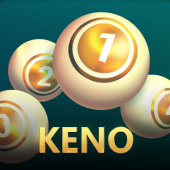
Keno is categorized as a cards game on PhoneJoy App. Outcomes are uncertain, so no selection pattern can promise a result.
Open Keno at PhoneJoy App Explore a Keno DemoOther cards games to explore
These cards titles are listed alongside Keno. Their tiles use the site’s standard game action; they are not links to separate detail pages.
Keno artwork and screen-reading notes
The image below is the authentic Keno catalog artwork used for the game listing, not a fabricated capture of a live round. Refer to the current game interface for its actual number board, controls, and draw presentation.
- Before selecting: find the rules or help control and confirm how a selection is recorded.
- Before confirming: read the displayed round cost and verify the amount on screen.
- After a draw: compare the result with the game’s explanation; do not infer future outcomes from the artwork or previous rounds.
A Keno Demo, when available, can help you get familiar with the layout and the order of steps. Demo presentation may not represent every option in a live session, so check the visible rules again before proceeding.
What players should expect from Keno
Players typically want a clear selection screen, readable round information, and a result that is easy to compare with their choices. Approach Keno at your own pace: pause to inspect each control and use the in-game explanation if a label or cost is unclear.
Take a moment to review the selection and confirm what will happen next.
There is no need to rush through a Keno round; take breaks between decisions.
Treat each result as uncertain entertainment, never as a predictable source of income.
For a different pace, try another title only after checking its own rules. For example, Tower belongs to a different game experience and should not be assumed to share Keno’s controls.
Decide whether to start a Keno session
If you understand the displayed instructions and have chosen a firm time and spending boundary, you can decide whether to open Keno. If you are uncertain about a rule, payment, or eligibility condition, pause and seek clarification before taking any action.
The Keno Demo can be a low-pressure first look where offered. It is for learning the interface, not a forecast of future results. Do not increase a stake to recover a loss, and do not play with money needed for essentials.
Continue to the PhoneJoy App game lobbyPlay only if you meet the applicable age and location requirements. Set limits and take a break whenever play is no longer enjoyable.
Keno questions before you play
Keno generally involves a number selection and a draw, but the exact selection range, round rules, and result display can vary. Read the instructions in the current game rather than assuming a particular variant.
A demo option may be available depending on the game and platform. When offered, use it to learn navigation and review the rules; it does not guarantee or predict a later result.
Pause, open the help or paytable information if available, and compare the selection with the displayed result. Contact official support if account or transaction details still need clarification.
A previous draw does not establish what will happen in another round. Avoid chasing losses or relying on patterns as a guarantee.
If you prefer another format, Night Market 2 is a separate listed game. Check its page and rules independently instead of carrying assumptions over from Keno.
Progress markers for a Keno learning session
Useful milestones are about understanding the experience, not reaching a payout target. A successful first look might mean you can locate the help panel, identify the selection and confirmation controls, and explain how the result is presented.
- Orientation: you know where the rules and relevant game information appear.
- Careful confirmation: you can review your choice and any displayed cost before submitting it.
- Responsible stopping point: you finish when your pre-set time or spending limit is reached.
A Keno Demo may help with the first two learning goals where the demo is available. No achievement, streak, or milestone changes the uncertainty of a later result. Celebrate informed choices and taking a break when needed.
A short Keno checklist for your next step
Keep the process simple: review, decide, confirm, and stop at your limit. These steps help you approach Keno without confusing familiar screen elements with a promise of an outcome.
- Review: read the current rules, available options, and any displayed cost.
- Choose: set a personal budget and session length before starting.
- Confirm: check the selected details on screen before submitting a round.
- Reflect: review the result, take a break, and stop when your planned boundary is reached.
For another change of pace, Toon Crash is a distinct title; its gameplay and rules are separate from Keno. Explore only after checking the information shown for that game.
PhoneJoy App offers different categories, but your safety routine should stay the same: use official access, protect your account details, and never treat play as a way to solve financial pressure. If you feel unable to stop, step away and seek support from someone you trust.